
Bass Companion: Ultimate Bass Guitar Tool
Overview
Bass Companion is a dedicated mobile application designed to support bass guitarists in their practice and performance routines. Developed by Infinaut Technologies Inc, the app aims to streamline essential tools for learning, tuning, and exploring musical concepts. It serves as a comprehensive utility for both novice and experienced players seeking to improve their technique, expand their knowledge of chord progressions, and refine their ear training. The app’s primary purpose is to function as a portable, all-in-one solution for on-the-go musical development.
Target users include students learning the bass, intermediate players refining their skills, and professional musicians seeking quick access to chord charts and tuning assistance. Real-world usage scenarios include practice sessions at home, rehearsal preparation, live performance tuning, and on-the-road music theory exploration. The application integrates core functionalities such as a built-in tuner, chord and scale libraries, and interactive visual aids to support learning and creativity.
The developer did not provide additional system requirements or performance benchmarks. Compatibility is confirmed for iPhone devices, with the app available in the App Store. No additional platform support was mentioned. The app is offered at no cost, making it accessible to a broad audience of music enthusiasts.
Key Features & Capabilities
- Integrated Tuner: A built-in tuner enables users to tune their bass by ear, with a simple interface that allows clicking to play and stop notes. This eliminates the need for external tuning devices or third-party apps.
- Chord Charts Library: Offers a wide selection of chord diagrams with multiple positions across the bass neck. Each chord is clearly marked with the root note in orange, helping users identify foundational tones.
- Scale Explorer: Provides access to various scales, allowing players to experiment with different modes and tonalities. This supports improvisation and composition development.
- Numbered Finger Positions: Displays finger numbers on chord diagrams, aiding in proper hand placement and muscle memory formation.
- Dynamic String Indicators: Visual feedback shows which string or note is being played, enhancing real-time learning and accuracy.
- Auto Strum & Manual Strum: Users can activate auto strum to hear a chord’s full sound or manually strum by swiping across the strings for a more interactive experience.
- One-Touch Help Feature: Offers immediate access to explanations and guidance, ensuring users can quickly understand features without navigating complex menus.
These features collectively support a hands-on, visual learning approach. For example, a beginner can use the chord charts and finger positions to learn their first barre chord, while an advanced player might use the scale library to explore modes in a new key. The dynamic indicators help reinforce correct finger placement during practice, reducing errors and building confidence.
User Interface, Workflow & Performance
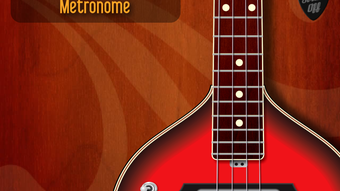
The user interface of Bass Companion is designed with simplicity and clarity in mind. The main screen displays an instrument neck visualization, where chord diagrams and scales are rendered in a realistic layout. The interface uses intuitive touch controls, with pegs located at the bottom of the screen to manage the tuner function—click to play a note, click again to stop. This tactile feedback supports quick, responsive tuning sessions.
Navigating between features is straightforward, with logical grouping of tools such as tuner, chords, and scales. The layout remains uncluttered, prioritizing essential functions. The developer did not specify resource usage details, so performance behavior on different iPhone models remains unspecified. General software behavior patterns suggest smooth operation on modern devices, though actual CPU and RAM usage were not disclosed.
Workflow efficiency is enhanced by the app’s direct access to core tools. The one-touch help feature ensures users can resolve confusion without leaving the current screen. Stability is expected to be consistent, given the app’s focus on a single platform and limited scope. No reports of crashes or freezes were mentioned in the provided data.
Compatibility & System Requirements
Bass Companion is designed exclusively for iPhone devices. The app’s operating system compatibility is confirmed for iOS, though the specific version requirements were not listed. Installation size is 24.2 MB, indicating a lightweight footprint suitable for most iPhone models.
Exact system requirements were not listed. This includes hardware specifications such as processor type, RAM, or storage capacity. Compatibility information is limited to the platform, with no indication of support for iPad, Mac, or other devices. The developer did not provide details on whether the app supports older iOS versions or requires a minimum device generation.
Users should verify compatibility with their specific iPhone model through the App Store. The app is available as a free download, with no in-app purchases or subscriptions mentioned.
Pros and Cons
Pros
- Free to download and use with no hidden costs
- Intuitive interface designed for quick learning and ease of use
- Comprehensive chord and scale library with multiple positions
- Integrated tuner with ear training support
- Visual aids like numbered finger positions and dynamic string indicators
- Auto and manual strum features for immersive practice
- One-touch help for immediate access to guidance
Cons
- Available only on iPhone, limiting cross-platform use
- Exact system requirements not disclosed
- Performance details not provided
- No support for offline mode was mentioned
- Platform-specific updates may not be consistent across all devices
FAQ Section
Is Bass Companion available for Android or Windows?
Bass Companion is currently available only for iPhone devices. There is no information about support for Android, Windows, or Mac platforms.
Is the app free to use?
Yes, Bass Companion is offered at no cost. No in-app purchases or subscription fees were mentioned in the provided details.
Can I use Bass Companion without an internet connection?
The app’s offline functionality was not specified. While many similar tools operate offline, the developer did not confirm whether Bass Companion requires an internet connection for core features.
How often are updates released?
Release frequency was not provided. Updates may be issued periodically, but no schedule or version history was included in the available data.
Is the tuner accurate for bass guitars?
The tuner is designed specifically for bass guitars and supports tuning by ear. Accuracy depends on the device’s microphone and audio input quality, but the app’s functionality is intended for reliable tuning performance.
Final Thoughts + CTA
Bass Companion stands out as a focused, user-friendly tool tailored to the unique needs of bass guitarists. Its combination of a built-in tuner, extensive chord and scale library, and visual learning aids makes it a valuable companion for musicians at all levels. The app’s clean interface and intuitive workflow enhance usability, while the free pricing model increases accessibility.
While platform limitations restrict its reach to iPhone users only, the app delivers a complete set of essential features without bloat. For bass players seeking a reliable, all-in-one practice tool, Bass Companion offers strong value. Its emphasis on ear training and visual feedback supports deeper musical understanding and skill development.
Download Bass Companion now







